Run It Without a Local GPU
The benchmark rig is one RTX 3060, but nothing requires you to own a GPU. Point the chat binding at any OpenAI-compatible endpoint and let the forest do the structural work.
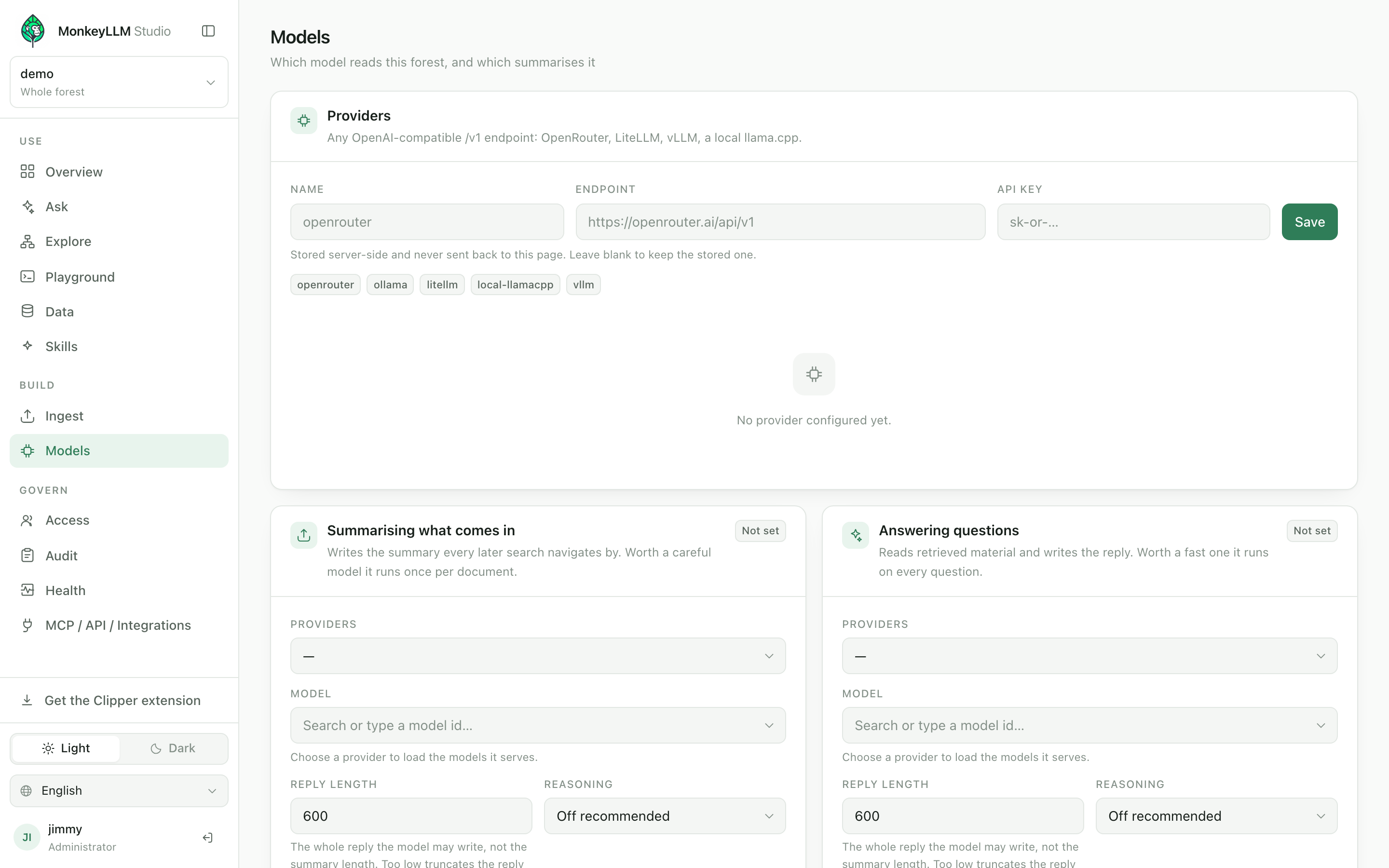
Our benchmark rig is a single RTX 3060 with 12 GB, and that detail has convinced some readers that a GPU is the price of admission. It is not. In MonkeyLLM the model is a binding, not a dependency, and every other part of the forest is CPU software.
Where the model actually sits
MonkeyLLM separates the environment from the model. The forest (a linked graph of small curated notes your agent walks node by node) is served by the Station on ordinary CPU infrastructure. The language model sits behind a chat binding that speaks to any OpenAI-compatible endpoint, so local versus remote is a URL in your configuration, not an architecture decision. Spend intelligence on the environment so you can spend less on the model.
The search layer never wanted a GPU
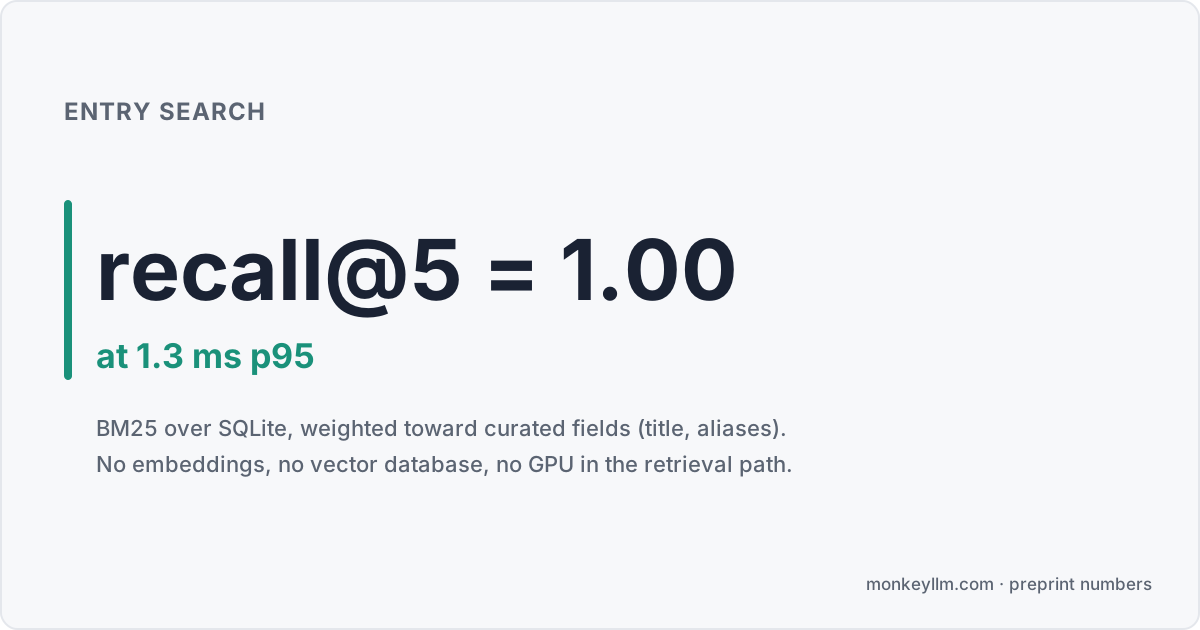
The forest's front door makes the point concrete. Entry search is BM25 over SQLite: recall@5 = 1.00 at 1.3 ms p95 on our corpus. No embeddings, no vector database, no GPU. Weighting the curated fields (title, aliases) closed the gap to hybrid search entirely, and the embedder remains optional and supported, not removed, if you want it later.
Which leaves exactly one component that could ever want a GPU, the chat model, and that is the component you can move.
Three no-GPU paths
A hosted endpoint. Point the chat binding at OpenRouter or any other OpenAI-compatible provider and pick a model. Zero local inference. One honest caveat: your forest data stays on your infra, but the prompts assembled for the model do travel to the provider. If that is unacceptable for your data, use one of the next two.
A llama.cpp server. llama.cpp serves an OpenAI-compatible API from CPU alone, fully private, and it is also the offload path when you have a small card. Slower than GPU inference, but nothing leaves your network.
Ollama. Ollama exposes an OpenAI-compatible endpoint, handles model downloads, and runs on CPU or whatever GPU happens to be present. For a first local setup it is the lowest-friction option of the three.

The wiring is identical in all three cases: on the Models screen, point the chat binding at your endpoint. The deploy guide has the exact steps.
When a local card is worth it
A quantized 12B fits whole in 12 GB, and that class of model is exactly what we benchmark: the same 12B local model scores 0/11 as a classic top-k RAG reader and 11/11 as a forest navigator on our strictly multi-hop question set. 8 GB cards work with tighter quantization or CPU offload via llama.cpp. In other words, a mid-range card buys full privacy at full reported capability; nothing in the paper needed more hardware than that.
Budgets keep any endpoint honest
Whichever endpoint you bind, every hop the agent takes is token-budgeted, and the Models screen (this post's cover) shows your bindings, their budgets, and the answer store's running score in one place. On our benchmark the navigator spends 0.58x tokens per correct answer against an iterative-RAG baseline, at 8.4 s p95 versus the baseline's 17.5 s. The point of a budget is not stinginess; as the report puts it, "Failing cheaply is not economy." The full accounting is in agentic RAG vs budgeted navigation, measured on 11 questions, which is small and stated as such.
Point a binding at something
Deploy the forest with four commands from the quickstart, aim the chat binding at an endpoint you already have, and reproduce the numbers yourself: the harness is committed at github.com/JimmyWesley/MonkeyLLM, and the rest lives at monkeyllm.com.